Track Master
My first team project, focusing on database management for an imported parcel tracking system (prototype). เป็นโปรเจกต์แรกที่ทำร่วมกับทีมโดยจะเน้นในเรื่องของการจัดการ database ของข้อมูลระบบติดตามพัสดุที่นำเข้า (ไม่ใช่ระบบที่สมบูรณ์)
Information
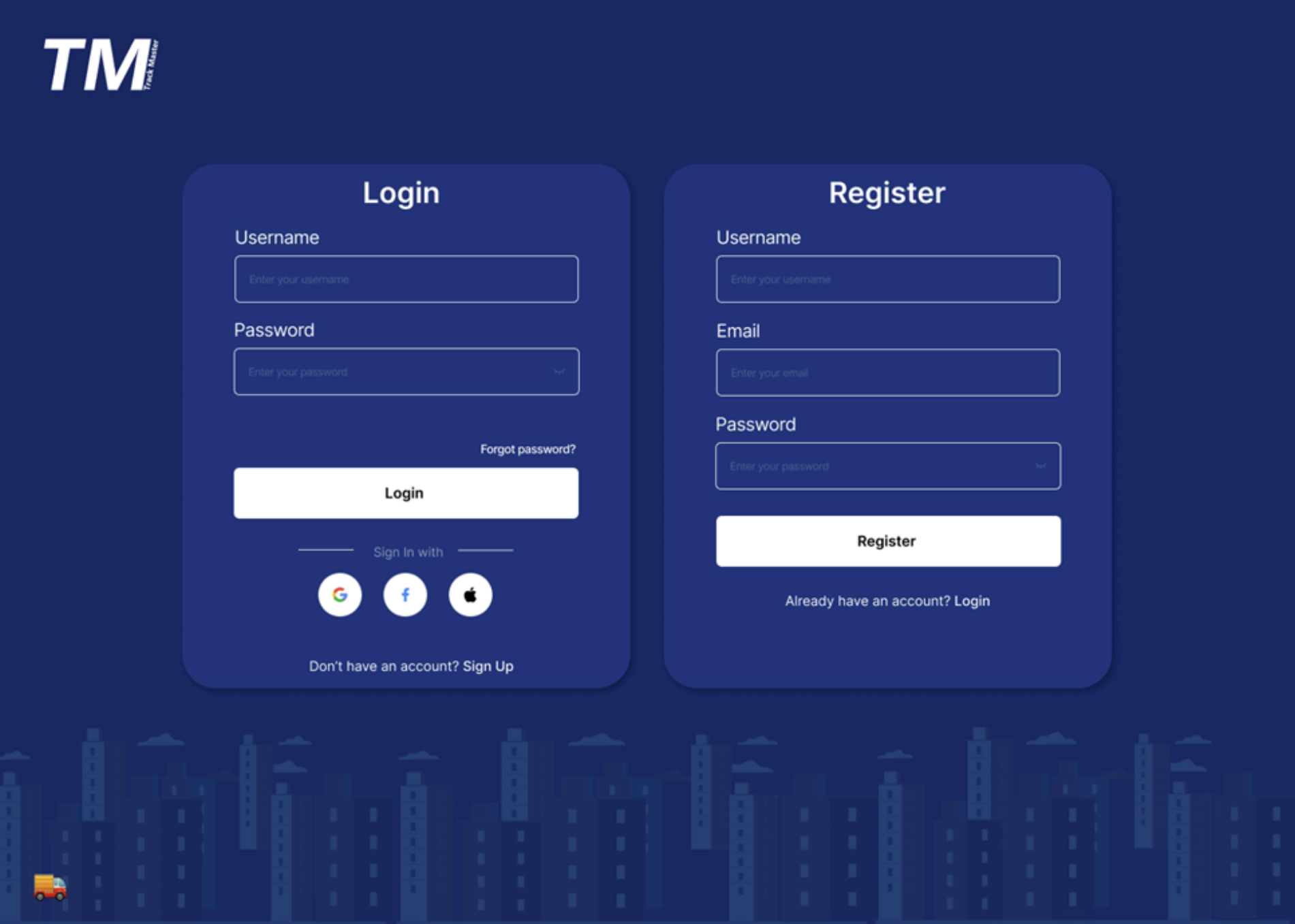
GitHubLogin
If the user is not logged in, a pop-up window will appear automatically. Users can choose to log in via Gmail, Facebook, or Apple ID. If they don't have an account, they can sign up through a registration pop-up. หากผู้ใช้ต้องการเข้าสู่ระบบโดยที่ยังไม่ได้ล็อกอิน ระบบจะแสดงหน้าต่าง pop up สำหรับการเข้าสู่ระบบโดยอัตโนมัติ ผู้ใช้สามารถเลือกเข้าสู่ระบบผ่านบัญชี Gmail, Facebook หรือ Apple ID ได้ หรือหากยังไม่มีบัญชีผู้ใช้งานสามารถลงทะเบียนผู้ใช้งาน (Sign up) เพื่อสมัครสมาชิก โดยระบบจะแสดงหน้าต่าง pop up สำหรับการกรอกข้อมูลสมัครใช้งานเว็บไซต์
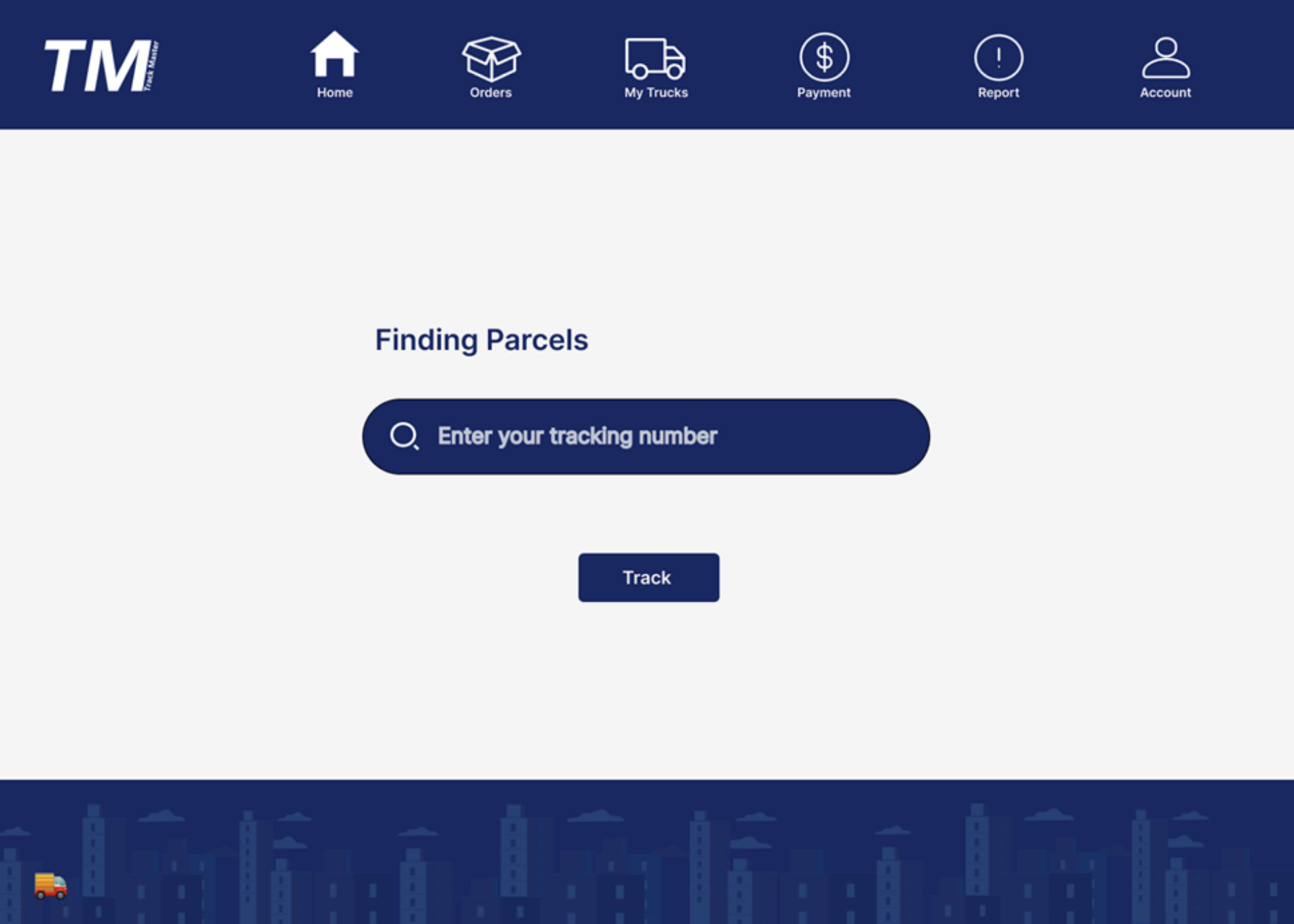
Home
Parcel tracking search page. Users simply enter the complete parcel number and press "Track" to find their parcel. หน้าต่าง Search เลขพัสดุเพียงแค่ผู้ใช้กรอกเลขพัสดุให้ครบถ้วนแล้วกด Track เพื่อค้นหาพัสดุ
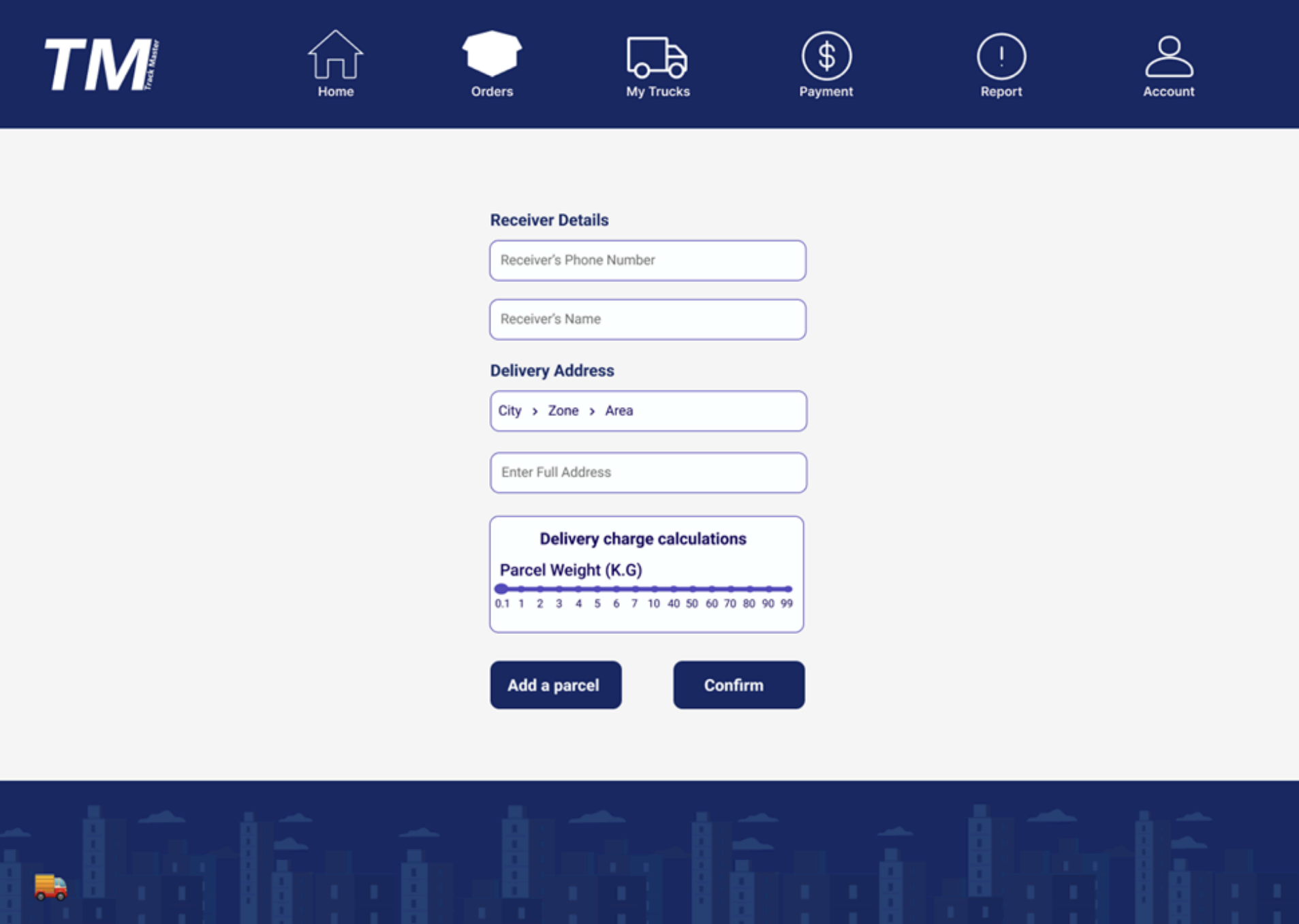
Orders
A pop-up window for entering parcel delivery details, including fields for recipient's phone number, name, address, and parcel weight. หน้าต่างที่แสดง pop up เพื่อกรอกข้อมูลในการส่งพัสดุโดย pop up จะแสดงช่องกรอก เบอร์โทรของผู้รับพัสดุ, ชื่อของผู้รับพัสดุ, ที่อยู่ของผู้รับสินค้า, น้ำหนักของพัสดุ
Payment
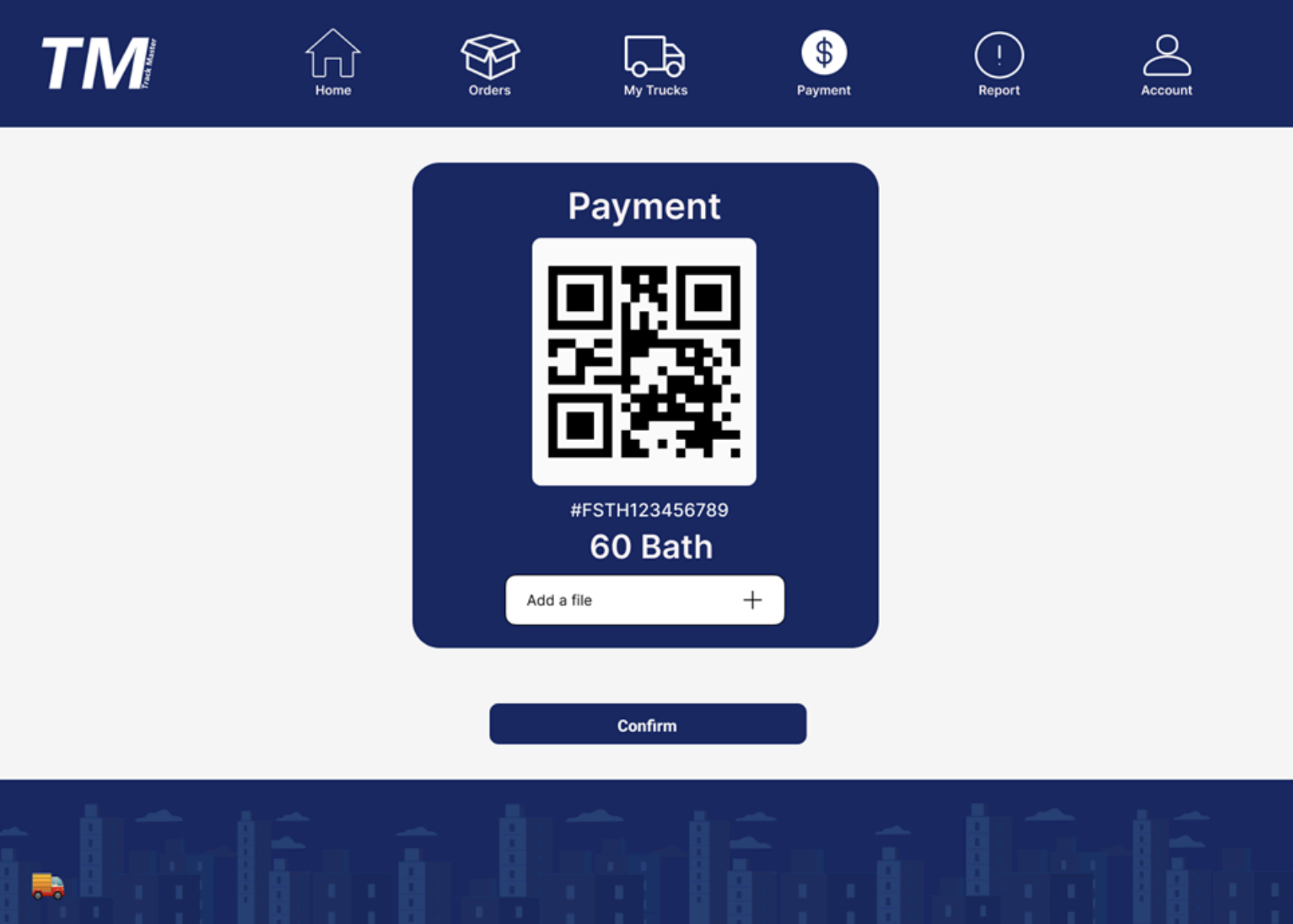
Displays a QR code for scanning to pay shipping fees, linked to the specific parcel ID. Users can also upload a payment slip for verification. หน้าต่างที่แสดงคิวอาร์โค้ดไว้สำหรับสแกนจ่ายค่าบริการการขนส่งสินค้าโดยมีเลขพัสดุตามข้อมูลพร้อมสามารถแนบไฟล์สลิปได้
Report
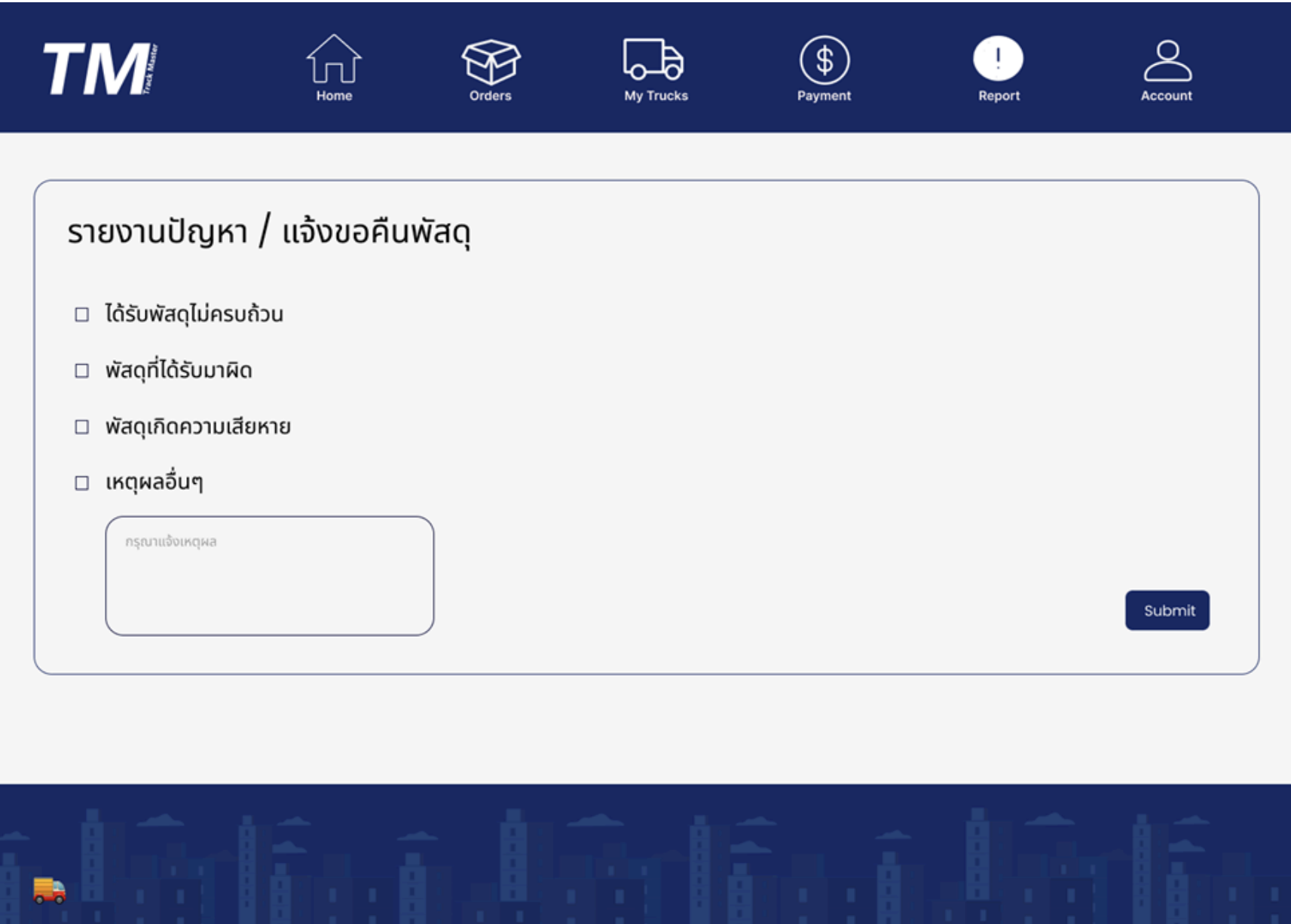
Users can use this window to report various issues during delivery, including damaged parcels or items not matching their description. ผู้ใช้สามารถใช้หน้าต่างนี้เพื่อรายงานปัญหาต่างๆ ที่เกิดขึ้นระหว่างการจัดส่ง รวมถึงกรณีที่พัสดุชำรุดเสียหาย หรือไม่เป็นไปตามที่ระบุไว้
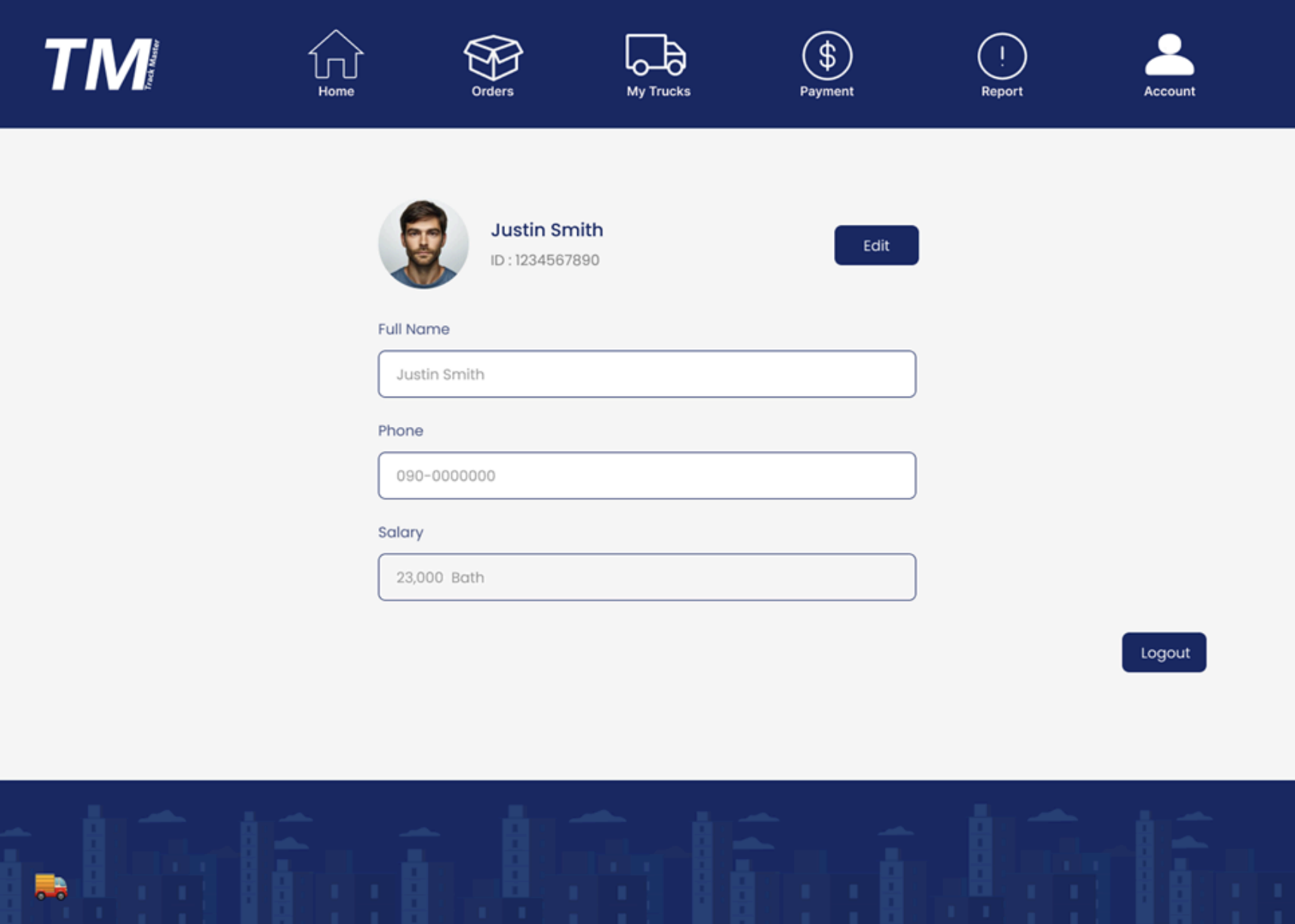
Account
Displays and allows editing of personal details. Shows profile picture, employee name, employee ID, and phone number. Includes buttons to edit profile and logout. หน้าแสดงและแก้ไขรายละเอียดข้อมูลส่วนตัว เมื่อกดเข้าจะแสดงรายละเอียดดังนี้ รูปภาพ, ชื่อพนักงาน , ID พนักงาน, เบอร์โทรศัพท์ และมีปุ่มให้แก้ไขรายละเอียดข้อมูลส่วนตัว และปุ่มออกจากระบบ (Logout)