MuKrathaMaster
A simulation game capturing the atmosphere of Thai-style BBQ (Mu Kratha).
Players select ingredients to grill and must serve them at the right moment to earn points and Happiness based on their doneness.
เกมแนวจำลองสถานการณ์ (Simulation Game) บรรยากาศของการปิ้งหมูกระทะแบบไทย
โดยผู้เล่นต้องเลือกวัตถุดิบนำไปปิ้งบนเตาและเสิร์ฟให้ถูกจังหวะเพื่อเก็บคะแนนและค่าความสุข (Happiness) ตามระดับความสุก
Information
GitHubMain Menu
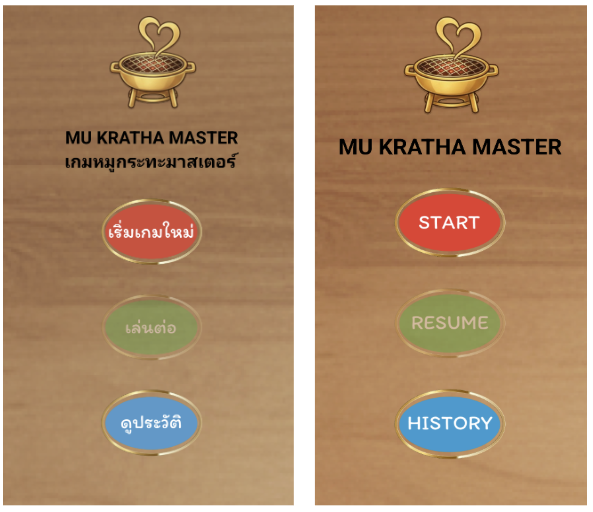
Consists of 3 elements: Background, Logo, Title, and 3 main buttons (adapts to device language Thai/English):
🔴 “START” → Enter game screen
🟢 “RESUME” → Load saved game (enabled only if data exists)
🔵 “HISTORY” → View high scores
ประกอบไปด้วย 3 องค์ประกอบ พื้นหลัง, โลโก้เกม, แสดงชื่อเกม และแสดงปุ่มหลัก 3 ปุ่ม โดยปุ่มจะเปลี่ยนไปตามภาษาเครื่องรองรับไทยและอังกฤษ
🔴 “เริ่มเกมใหม่ / START” → เข้าสู่หน้าเล่นเกม
🟢 “เล่นต่อ / RESUME” → โหลดเกมที่ค้างไว้ (เล่นต่อจะสามารถกดเล่นได้เมื่อมีข้อมูลเดิมที่เล่นค้างไว้)
🔵 “ดูประวัติ / HISTORY” → ดูคะแนนสูงสุดที่เคยทำได้
Game Screen
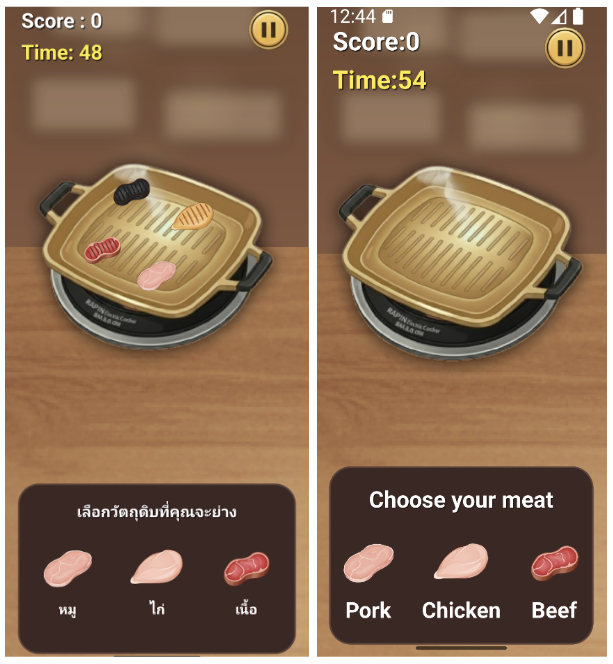
- Each ingredient has a different "Doneness State" and "Score". Players tap to place, and tap again to serve.
- Elements: Current Score, Pause Button, Grill Pan with slots, and Ingredient Selection Bar at the bottom.
-วัตถุดิบแต่ละชิ้นจะมี “State ความสุก” และ “คะแนน” ที่แตกต่างกัน และผู้เล่นต้องแตะที่วัตถุดิบเพื่อวาง และแตะอีกครั้งเพื่อเสิร์ฟ
-องค์ประกอบของหน้าการเล่นเกมตัวแสดงคะแนนปัจจุบัน (Score) ปุ่ม Pause กระทะหมูกระทะ พร้อมตำแหน่งสำหรับวางวัตถุดิบแถบเลือกวัตถุดิบด้านล่าง
State System
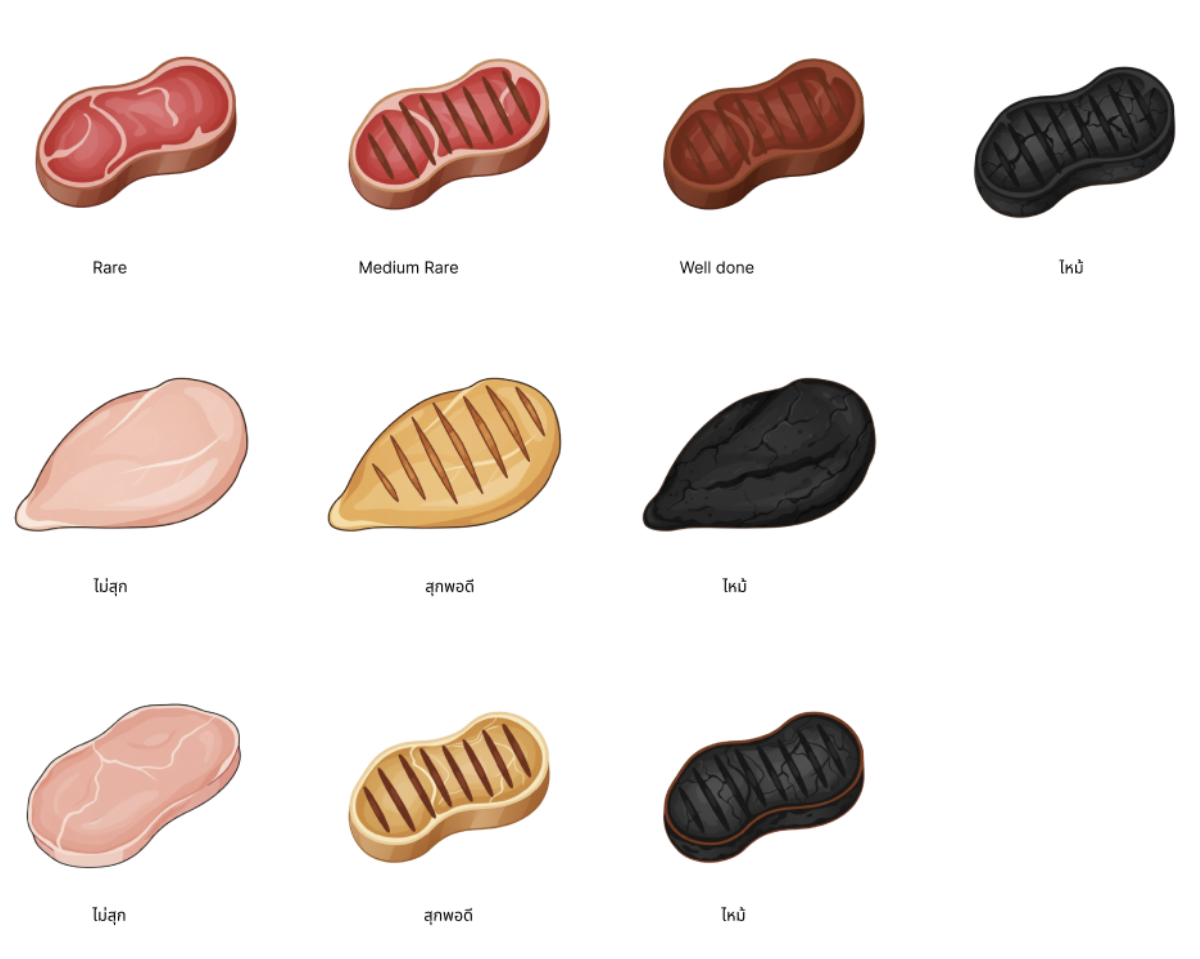
🐷 Pork & Chicken (3 States)
Raw → Well Done → Burnt (Transition: 3s)
🥩 Beef (4 States)
Raw → Medium Rare → Well Done → Burnt (Transition: 3s)
🐷 หมู และ ไก่ (3 State)
ดิบ → Well Done → Burnt เวลาข้าม state: 3 วินาที
🥩 เนื้อ (4 State)
ดิบ → Medium Rare → Well Done → Burnt เวลาข้าม state: 3 วินาที
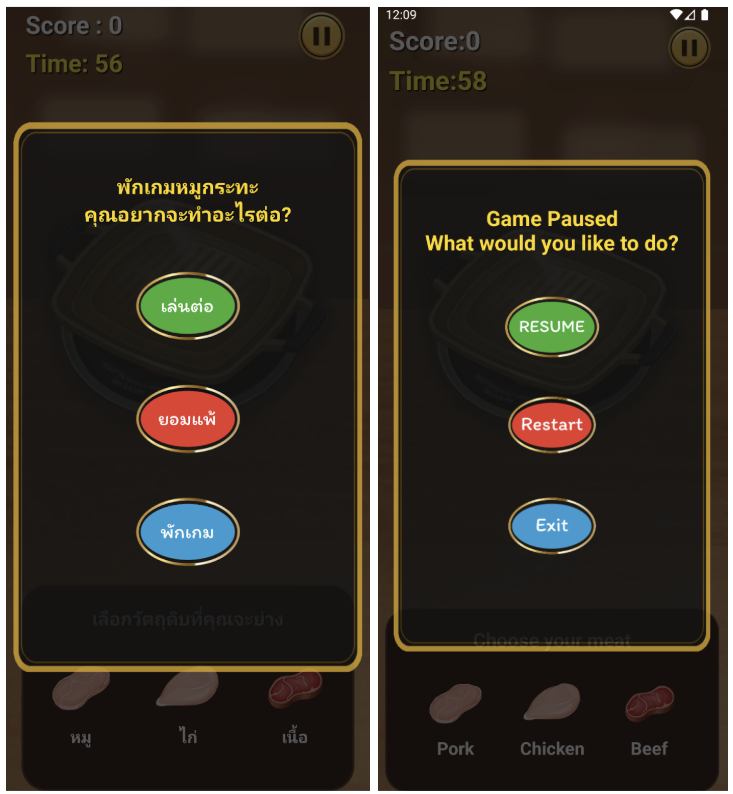
Pause Screen
Appears when Pause is pressed or app is minimized.
🟢 “RESUME” → Continue game
🔴 “RESTART” → Give up and restart
🔵 “EXIT” → Quit to Main Menu
หน้าพักจะแสดงเมื่อผู้เล่นกดปุ่ม Pause หรือออกจากแอปชั่วคราวมีปุ่มให้เลือกดังนี้
🟢 “เล่นต่อ / RESUME” → เล่นเกมต่อจากที่พักไว้หน้าเล่นเกม
🔴 “ยอมแพ้ / Restart” → ยอมแพ้และเริ่มใหม่
🔵 “พักเกม / Exit” → ออกเกมที่กำลังเล่นอยู่ กลับไปหน้าหลัก
Result Screen
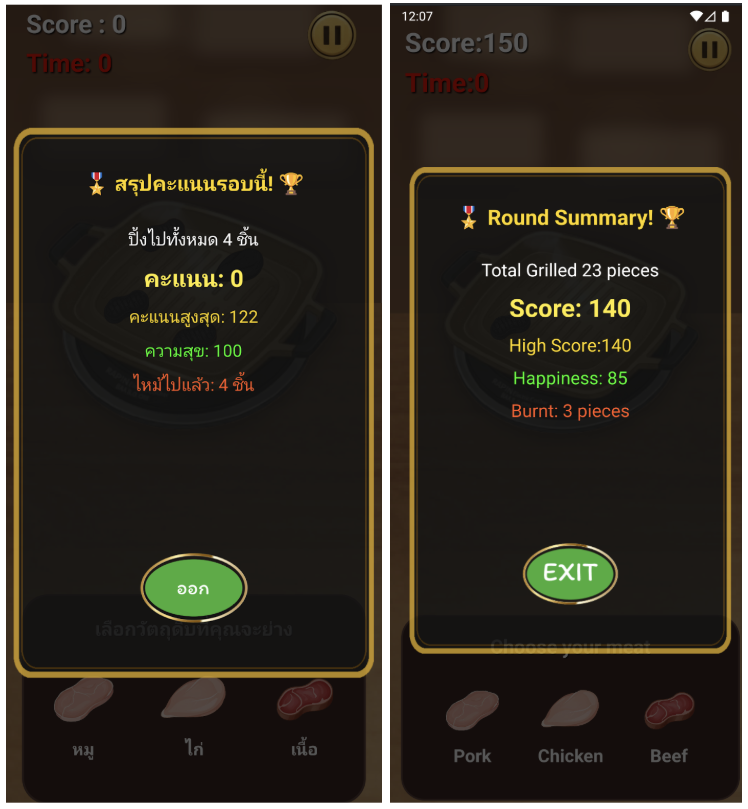
End of round summary:
- Served Count
- Total Score
- High Score
- Happiness Score
- Burned Count
เมื่อจบรอบ ระบบแสดงผลดังนี้
- จำนวนที่เสิร์ฟ
- คะแนนรวม
- คะแนนสูงสุด
- คะแนนความสุข
- จำนวนที่ไหม้
History Screen
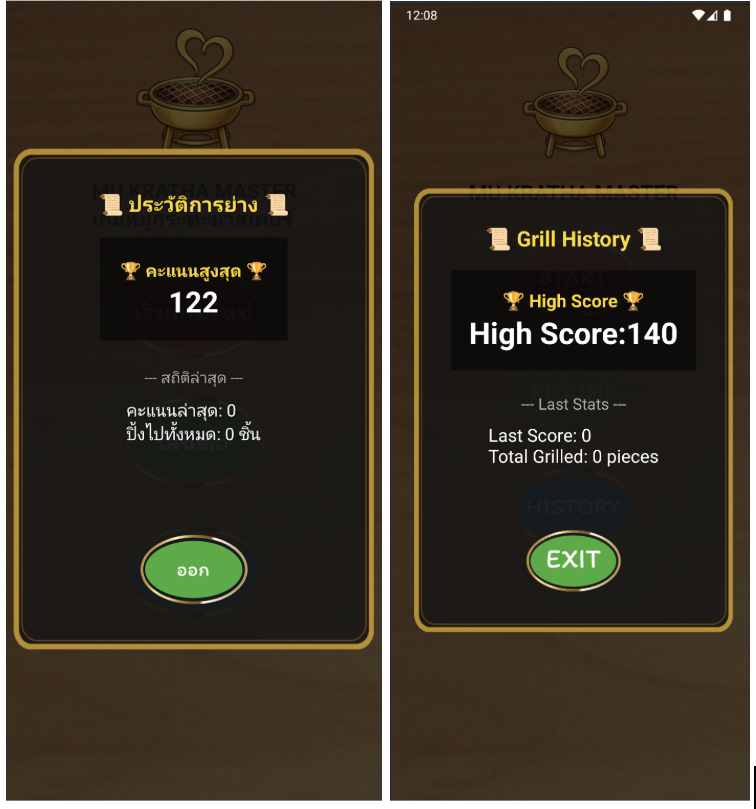
Shows gameplay history:
- All-time High Score
- Recent Statistics
- Latest Score
- Total Ingredients Grilled
เมื่อกดปุ่มดูประวัติ จะแสดงผลดังนี้
- คะแนนสูงสุดที่เคยทำไว้
- สถิติล่าสุด
- คะแนนล่าสุด
- จำนวนเนื้อที่ปิ้งไปทั้งหมด